
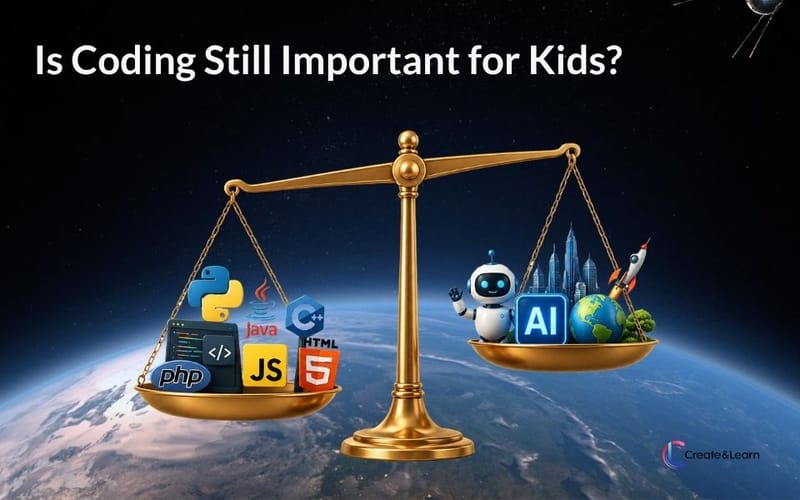
Is coding still worth it for kids? The short answer
Yes — learning to code for kids & teens is still very much worth the time and efforts. More so than ever, in fact. But what and how to learn has shifted significantly with the rapid rise of AI, and that’s important understanding before your child sets on a journey to learn coding.
The most important change: AI tools have lowered the bar of creating working software dramatically. As a result, employers have raised their expectations of who should leverage coding in their work. It’s no longer just software engineers. Going forward, nearly every white-collar role will have a coding or AI-tool component to it. That alone increases the value for kids learning to code today.
At the same time, the traditional benefits of coding still hold strongly. Coding teaches kids to break complex problems into smaller pieces, to think in clear logical steps, and to be creative — and those skills transfer to math, science, writing, and how kids approach unfamiliar problems generally. The engineering career angle is strong too. But it’s the combination of cognitive habits plus the technical foundation that makes coding pay off across the entire range of futures a kid might end up in.
If you want to skip ahead to specifics, the by-age guidance below tells you what’s appropriate to start with at every grade band from kindergarten through high school. The “how to start” section walks through low-commitment ways to see if your kid actually enjoys it before you invest more.
Want to see what a class actually looks like before reading further? Sign up for a free intro class — the fastest way to know if this is going to land with your child.
Why “is coding worth it for kids” is the 2026 question every parent is asking
Three things have changed at the same time, which is why this question has become a frequent topic for parents:
AI tools have made parents reconsider what their kids should learn. The release of ChatGPT in 2022, followed by Claude, Gemini, and increasingly capable AI coding assistants, has many parents wondering whether learning to code is still a future-proof skill — or whether AI will do it all anyway. The short answer: AI tools amplify what people who understand code can do. They don’t replace the underlying understanding. They actually raise expectations on who should be able to code, because the bar for non-coders has gotten higher, not lower.
Soft skills are becoming more important, not less. As the technical landscape changes faster, experts increasingly believe that creativity, problem solving, and grit will matter more than ever — and that those are the harder skills to develop. Coding is one of the most efficient on-ramps to all three. Kids who code work through real problems where the feedback is unambiguous and the only path to success is iterating through difficulty. That’s productive frustration training, and it transfers to academic work, sports, music, and anything else that requires persistence.
Kids are spending more time on screens, and parents want some of that time to build something. A 2024 Common Sense Media report found that tweens average 5+ hours of daily screen time, much of it consumptive. Parents are actively looking for screen time that produces something — a game, an app, a working AI tool — instead of just videos and feeds.
The accessibility of kids’ coding programs has increased dramatically. Ten years ago, kids’ coding meant in-person camps that cost hundreds per week, and only in cities with the right infrastructure. Today, live online classes start at a fraction of that price and are available from anywhere with a laptop and internet.
So the question is less “should we?” and more “is the version of this we’d actually do the right approach?” That’s what the rest of this guide is about.
5 real benefits of coding for kids — what actually pays off
We’ve stress-tested these reasons against the actual research on kids’ coding outcomes, not just marketing claims. These are the ones that hold up — ordered by what matters most for the 2026 parent decision.
1. Career-readiness — what software roles and AI literacy actually look like in 2026
The Bureau of Labor Statistics projects 22% growth in software developer roles through 2030 — about three times the average for all occupations. That’s the headline. But the more important shift is that AI literacy and basic coding fluency are becoming baseline-expected skills across non-software roles too: marketing, finance, healthcare, design, law. The percentage of non-engineering jobs that list “comfort with technical tools” or “experience with scripting” as a plus has climbed steadily through 2025.
Your kid probably won’t become a professional software engineer. But the foundation is increasingly useful regardless of which career they choose. The kids who can confidently use AI tools to extend their work — write a quick script to analyze data, build a simple internal tool with code, automate a repetitive task — will have a significant edge over peers who can’t.
2. AI literacy starts with understanding what’s underneath the AI
The most common misread of the AI boom is “kids won’t need to learn to code anymore because AI does it.” The opposite is closer to true. AI tools are dramatically more powerful only in the hands of people who understand what they’re doing — and is hardly useful in the hands of people who don’t. Kids who understand coding can use AI tools effectively to build real things. Kids who don’t can’t tell wield the power of AI effectively
This is why AI-focused programs for kids have shifted toward teaching the underlying concepts first, then layering AI tool use on top — not the other way around. A free intro class is the easiest way to beginn introduce your kid to this important topic. Browse the free classes — you’ll see the live format and whether your kid engages.
3. Computational thinking transfers to math, science, and problem-solving across the board
This is among the best-documented benefits of kids’ coding. Computational thinking — the skill of breaking a problem into smaller steps, identifying patterns, and following a logical sequence — shows up in coding classes first and then carries into math, science, writing, and how kids approach unfamiliar problems generally. So even if a kid does not become software engineers, they benefit strongly from the cognitive habits mastered while learning coding.
4. Productive frustration — coding teaches persistence kids don’t get elsewhere
Coding is unusual among kids’ activities in how immediately and unambiguously it provides feedback. A program either runs or it doesn’t. A bug either gets fixed or it doesn’t. There’s no partial credit and no participation trophy. Kids who stick with coding learn that the path from “broken” to “working” almost always involves the same loop: try something, see what breaks, adjust, try again.
This sounds obvious until you watch a 9-year-old who’s never sat with frustration for more than 30 seconds go from giving up immediately to debugging a Scratch coding error for ten minutes because they really want to see the next thing happen. That persistence transfers everywhere and brings life-long benefits.
5. Kids who code build things, not just consume screens
Most things kids do on screens are designed to be consumed. Coding is one of the few that produces something — a game they made, an animation they designed, a small AI tool, a working website. Kids who code end up with portfolios of things they built, not just hours of time spent.
This matters because the things kids make are theirs in a way passive activities aren’t. A 10-year-old who built a multiplayer Roblox game has something they can show their grandparents, send to friends, and look back on in five years. That sense of authorship is one of the strongest reasons kids stick with coding once they get the first “I built this” moment.
Is coding the right fit for my kids — 3 honest concerns parents raise
You might be wondering, is coding right for my kids? Or you might have even tried, but are not sure they should continue. Here are some common concerns we hear from parents.
“My child doesn’t seem interested in coding”
This is the most common reason kids don’t stick with coding. It’s also the most fixable. The interest is usually present — the format is wrong. Kids who weren’t interested in Scratch sometimes become very excited when introduced to Minecraft modding because they’re already invested in Minecraft. Kids who didn’t connect with a recorded course can come alive in a live class with a teacher and peers. Kids who were bored by an early-elementary coding app can be hooked at age 10 when they realize Python can do real things.
The wrong format produces the same result as no interest. Try a different format before concluding your child isn’t interested.
“We don’t have time for one more activity”
Fair. On the other hand, effective kids’ coding takes roughly 1 hour per week during school year. It’s less time than many parents fear it will be. The skills accumulate through small consistent efforts. A weekly live class with light independent project work in between is the typical format and the time commitment is very manageable. With online classes, it becomes even more efficient because you don’t have to spend time on the road or getting ready, which sometimes might take more time than the class itself.
“Will AI make coding skills obsolete for my child’s generation?”
Absolutely not. AI changes what coding looks like but doesn’t eliminate the value of understanding it — and may actually increase it. The kids who will benefit most over the next 10–20 years are the ones who understand both the building blocks of programs AND how to use AI tools effectively. Skipping the foundation now will make the AI-tool layer harder to use well later.
How AI is changing what kids should learn about coding
For beginners, the initial introduction of coding may not change drastically — kids still need to learn sequences, loops, variables, and how to build small things from scratch. But a major shift is needed as students enter middle and high school, where AI tools become part of how working coders actually work.
Elementary students: foundational coding plus AI awareness
The right approach at this level is foundational coding (block-based for the youngest, transitioning to text-based around grades 4-5) with light introduction of AI concepts as part of the learning. Kids learn what AI is and what it’s good at, while building the coding foundation that AI tools use will sit on top of later.
Middle school students: AI as a learning collaborator
This is where AI use becomes part of the coding curriculum directly. In foundation courses like Introduction to Python, students learn to leverage AI as part of their learning loop — for debugging, generating practice problems, brainstorming approaches, and as a tutor when they get stuck. The underlying skill (Python fundamentals) is not skipped. AI tools augment the learning rather than replace it.
The distinction matters. A student who uses AI to skip understanding their first loop will struggle for years. A student who uses AI to debug their first loop after they wrote it will learn faster than students learning solo did even just a couple of years ago.
High school and advanced students: vibe coding, real projects, accelerated mastery, interdisciplinary
For advanced students, this is where AI truly amplifies and changes what’s possible at this age. “Vibe coding” — using AI as a collaborator across the entire development workflow — lets high schoolers master domains that would previously have required years of focused intensive learning: data science, AI systems, web development, UI/UX design. What used to take years can now happen in a fraction of the time with the right AI-augmented approach.
This is also the right stage for applying skills to real-world problem solving — through challenges like the Congressional App Challenge, science fairs, internships, and open-source contributions. The combination of strong fundamentals and AI-augmented build speed is what makes high school portfolio work look more like real engineering than it has at any prior point.
Last, but not the least, coding also accelerates students' ability to master interdisciplinary skills. For instance, our analysis of the Regeneron Science Talent Search shows that while projects expand diverse areas such as medical science, physics, astronomy, and more, coding plays s significant role in ~50% of projects.
Across every level: apply skills to real-world problems as early as possible
For all skill levels, the right way to ensure the learning sticks is to apply coding skills to real problems — not just toy exercises. Younger kids do this through games and animations they care about. Middle schoolers through projects with real users (siblings, parents, classmates). High schoolers through challenges like the Congressional App Challenge, science fair work, and contributions to existing software. The real-world application is what turns “I learned coding” into “I can build things with coding,” which is the difference that matters.
What age should kids start coding? Grade-by-grade guidance
The single most common reason parents give up on kids’ coding is starting too early with too much, or too late with too little. Here’s what actually fits at each grade band. Detailed program information for each grade level lives on the corresponding grade page.
Grades K-2 (ages 5-7): visual, story-based coding
Visual block-based coding through ScratchJr or simple drag-and-drop games that teach sequencing. The goal at this age is exposure and play. Kids learn that they can tell a computer what to do. They’re not learning programming concepts in any deep sense — and that’s the right pace for this age.
What to look for: short sessions (~45 minutes), heavily visual, project-based (make a story, animate a character), parent or teacher actively involved. See programs for grades K-2.
Grades 2-4 (ages 7-10): Scratch and visual coding fundamentals
The sweet spot for Scratch. Kids this age can grasp loops, variables, conditionals, and event-driven logic when those concepts are taught through making games and animations they care about. This is the age when coding starts being “real” — kids leave the first session with something they built.
What to look for: live instruction (recorded courses don’t hold attention well at this age), small class sizes (5 or fewer students per instructor is ideal), and a project-based curriculum that produces a finished thing each session. See programs for grades 2-4 and the dedicated Scratch coding pathway.
Grades 4-6 (ages 9-12): Advanced block-based languages, and early AI literacy
Grades 4-6 is the best age to go deeper and broader with block based coding, which are easy to use and allow students to building different kid of applications. Aside from learning advanced Scratch coding, kids who are deeply into Minecraft or Roblox can start Minecraft modding or Roblox game making in a context the kid already cares about. The motivation difference between learning code abstractly and learning code to make Minecraft do what you want is enormous.
Advanced block based coding are also available for robotics, mobile app development, and more for grades 4-6 coding. It is also the right time to take an introduction to AI class for kids to learn more about AI technologies and applications.
Grades 6-9 (ages 11-14): Text based coding, depth, specialization, and more on AI
Kids who are familiar with block based coding are often ready to start Python around age 10 and 11. Python is the right text-based language to start with: clean syntax, immediately usable for real projects, and the same language used in real software, AI, and data science.
Start exploring Python for Kids for the text-based on-ramp.
Middle-school kids can also start branching into specialties — game development, web development, AI fundamentals, data science. This is the age when “I built a thing” projects start to look like real software: working games other people can play, useful AI tools, websites, custom Minecraft servers.
Programs for grades 6-9 and the AI for Kids pathway become the right destinations at this stage.
Grades 9-12 (ages 14+): production-grade projects and AP CS
High-schoolers can do real software engineering. The ceiling is high. Kids this age can build production-quality apps and games, contribute to open-source projects, and prepare for AP Computer Science (taught in Java, which is also what Minecraft modding uses — a natural progression for kids who started early). They can also do real AI work using the building blocks they learned in middle school: computer vision projects, language model applications, AI for science fair and internship work.
Programs for grades 9-12 cover the advanced and AP CS pathways.
Is your child ready to start coding? Readiness signals at each age groups
Ready signals
- Comfort with basic device use — can navigate a tablet or laptop independently for short tasks
- Curiosity about how something works (asks “how does that work?” about apps, games, websites)
- Ability to sit with a single activity for 20+ minutes if it interests them
- Reading at grade level (matters more for text-based coding; less for ScratchJr and Scratch)
- Some interest in games, animation, art, or storytelling — coding becomes the tool for making those things
Most kids who don’t connect with their first coding attempt do connect when the format changes. Don’t read a single bad experience as proof that coding isn’t for them.
How to try coding for kids risk free?
The lowest-risk way to find out if your child is going to take to coding is a free intro class. Almost every reputable kids’ coding program offers one — including ours. An intro class shows you (and your kid) the actual format: how the instruction works, how engaged your child gets, whether the pace is right. You learn more from one 45-minute live intro class than you do from reading any number of reviews.
Browse free intro classes by program and age — no payment info required, you sign up, your kid attends, you decide if it’s a fit.
If the intro lands, look for these things in a paid program before committing:
- Live instruction by teachers, not recorded videos. Recorded courses don’t hold most kids’ attention past the first few sessions.
- Small class sizes — five students per instructor or fewer is the right ratio for hands-on subjects like coding.
- Project-based curriculum that builds something real each session, not isolated puzzles or drills.
- Free trial or first-class money-back guarantee so you’re not locked in if it doesn’t work.
Pricing and program structure for Create & Learn here. Read parent reviews of the programs here.
Kids coding FAQ — parent questions answered
What age should kids start coding?
Most kids are ready for visual block-based coding (like ScratchJr or Scratch) around ages 5–7. Around age 8–10, kids can start text-based languages like Python with proper instruction. The right starting point depends less on age and more on reading level, attention span, and existing interest in games or technology.
Is coding hard for kids to learn?
The first few hours of coding are harder than most other kids’ activities because programs are unforgiving — they either run or they don’t. After the first few “I built something that works” moments, most kids find it absorbing rather than hard. The difficulty curve is front-loaded; the satisfaction curve is also front-loaded.
What programming language should kids learn first?
For ages 5–7: ScratchJr. For ages 7–11: Scratch. For ages 9 and up who are ready for text-based languages: Python. For kids who are already into Minecraft: Java (via Minecraft modding). For kids into Roblox: Lua. There’s no single right answer — the best first language is the one your child will engage with based on what they already enjoy.
How long until my child can build something on their own?
Most kids ages 8–12 build their first interactive Scratch project within 3–4 hours of instruction. Kids learning Python typically ship their first working program (a quiz, a calculator, a small simulation) within 6–8 hours. The “I built this” moment is usually the inflection point where kids go from passively learning to actively wanting to build more.
Will AI make coding skills obsolete for my child’s generation?
No. AI tools amplify what people who understand code can do, and the gap between what AI-fluent coders and non-coders can produce is widening, not closing. Kids who learn coding fundamentals now will be the most effective users of AI tools as those tools continue to evolve.
Is online coding instruction as good as in-person?
For most kids and most programs, yes. In fact, online coding is better — provided the online format is live (not recorded), small (under 5–6 kids per instructor), and uses tools that let kids share their screens and code together with the teacher in real time. Recorded courses and large class formats are weaker regardless of online or in-person.
How much does kids’ coding typically cost?
Live online programs typically run between $20 and $40 per class for small-group instruction, with package and subscription pricing reducing the per-class rate. In-person camps and 1:1 tutoring cost meaningfully more. Free intro classes are widely available — they’re the right starting point for evaluating any program before paying. See specific Create & Learn pricing.
What if my child has tried coding and didn’t enjoy it?
Try a different format. The most common reasons a first attempt doesn’t stick are: wrong age-format match (text-based when the kid needed visual, or vice versa), class size too large for the kid to get attention, project topic that didn’t match their interests, or recorded format that didn’t hold engagement. Most kids who don’t love their first coding experience do love it when the format and topic match their actual interests.
Is coding worth it for kids? The final verdict
Is learning coding still valuable for kids in the AI era? The final verdict
For most kids, learning to code is worth the time and money — for the cognitive habits and problem-solving foundation more than for direct career preparation, though both matter. The investment is modest if you start with low-commitment free classes and only scale up if your kid engages. The single most important variable in whether your kid sticks with it isn’t talent or even initial interest — it’s the format-and-topic match for that specific child.
If you’ve been on the fence about whether to try it: try one free intro class. You’ll know more after 45 minutes than after months more research.
Try out our free trial coding classes — pick one that matches your child’s age and interests, attend, decide.