

Free education apps for kids are a convenient and effective resource to help kids learn new skills and gain new knowledge on a wide range of topics. Beyond that, they're interactive and make learning fun and exciting. Some of the best free education apps are a great way for parents or guardians to support kids’ learning at home with accessible lessons and quizzes.
Interested in helping your child learn and prepare for a fulfilling future career in STEM? Join a free award-winning Create & Learn class designed by professionals from Google, Stanford, and MIT to introduce your child to the coding, robotics, AI and game-building skills that are increasingly needed in today’s technology-driven world. There are a variety of expert-led free live virtual classes to choose from, including beginner-friendly Scratch Ninja, Minecraft Redstone Engineering, Beginner Roblox Coding, and more!
Discover The Best Free Education Apps For Kids
We’ve identified the top free education apps for kids that make learning easy and fun. Some apps below focus on learning specific skills, while others make it easier for teachers to present learning materials to students.
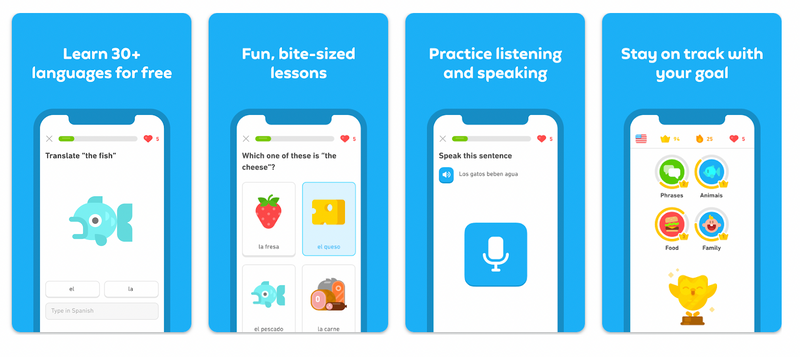
1. Duolingo: Language Lessons
Duolingo is a popular language-learning app that offers free, interactive lessons to help learn new languages. Duolingo gamifies language learning with a points system and elements of competition – but it doesn’t penalize too heavily for mistakes! Duolingo can be used in a school setting by assigning a Duolingo game as homework, incorporating the platform’s warm up and cool downs, and using competition settings as an in-class activity. You can download this app in the App Store or Google Play, or set up an account on the Duolingo website. You can learn to read, write, listen and speak over 40+ languages on Duolingo.
| Recommended Ages | Key Features | Pricing |
|---|---|---|
| Ages 6+ (K-12 & Adults) | Gamified bite-sized lessons, 40+ languages, progress tracking, Duolingo for Schools classroom dashboards | Free (optional Super Duolingo subscription available) |
Rating: 4.5/5
Installs: 100+ million
Get it for iOs here and Android here.
2. Photomath
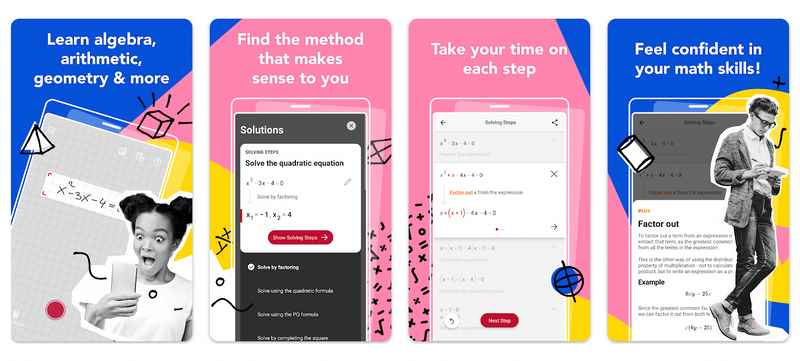
Photomath, now developed by Google LLC, is an app that uses your device camera to help solve math equations that you scan. The app displays step-by-step breakdowns of how equations are solved, from elementary arithmetic to advanced calculus. Teachers and students alike can use Photomath to provide detailed explanations for specific math problems and offer instant homework support when students encounter challenging mathematical concepts. The app recognizes handwritten math problems and allows manual input using a smart calculator tool.
| Math Levels Covered | Key Tools | Developer |
|---|---|---|
| Basic Math, Pre-Algebra, Algebra, Geometry, Trigonometry, Calculus, Statistics | Camera equation scanner, step-by-step visual solution steps, interactive graphing calculator | Google LLC |
Rating: 4.6/5
Installs: 100+ million
Get it for iOs here and Android here.
3. Google Classroom
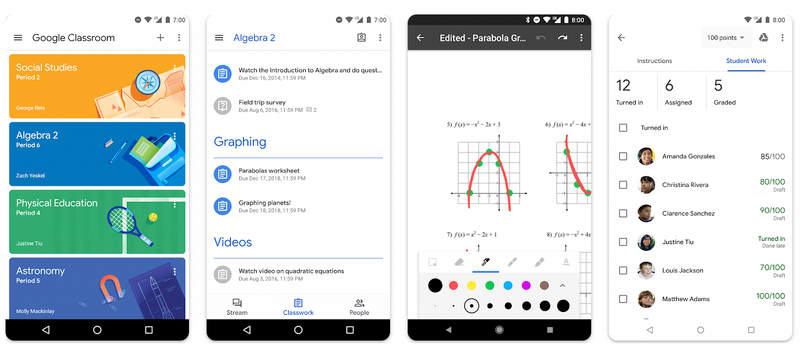
Google Classroom is a streamlined digital learning platform that allows educators to create, organize, and manage digital classrooms effortlessly. Platform capabilities enable teachers to make assignments, share learning resources, provide real-time feedback, and monitor student progress. Students can view due dates, complete assignments, and communicate securely with teachers and classmates. Google Classroom integrates natively with Google Workspace for Education tools, including Google Docs, Google Slides, Google Sheets, and Google Drive.
| Target Grade Levels | Integrations | Core Benefits |
|---|---|---|
| K-12 and Higher Education | Google Docs, Sheets, Slides, Drive, Google Meet, Forms | Centralized assignment hub, paperless grading, real-time feedback |
Rating: 2.3/5
Installs: 100+ million
Get it for iOs here and Android here.
4. Kahoot! Play & Create Quizzes
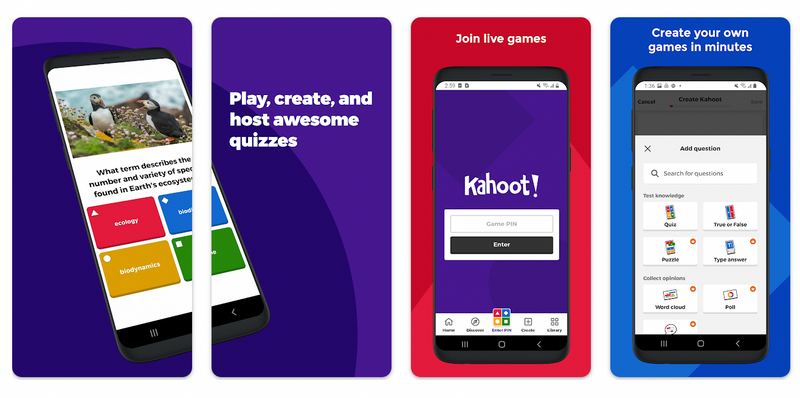
Kahoot! is a widely used game-based learning platform that allows teachers, parents, and students to create and play interactive quizzes, flashcards, and surveys. Users can create multiple-choice trivia and review games on any subject matter. Kahoot quizzes can embed rich images and video clips to create dynamic, engaging learning experiences that help educators assess comprehension and reinforce key learning standards.
| Best For | Format | Recommended Ages |
|---|---|---|
| Classroom review, study groups, educational trivia | Live multiplayer games, self-paced challenges, flashcards | Ages 6+ (K-12 & Higher Ed) |
Rating: 4.7/5
Installs: 50+ million
Get it for iOs here and Android here.
5. ABCmouse
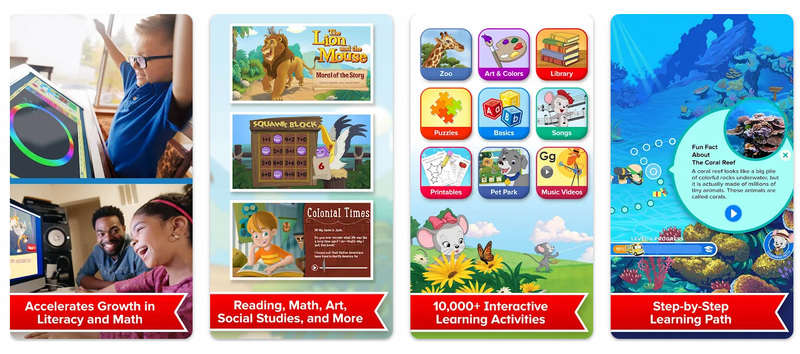
ABCmouse is an early learning platform designed for children ages 2 to 8. It features an award-winning curriculum spanning reading, math, science, art, and social studies. Through interactive games, step-by-step learning paths, digital books, and educational songs, kids remain engaged while mastering essential foundational concepts. ABCmouse provides individual step-by-step learning pathways for home learning, homeschooling, and early elementary classrooms.
| Age Range | Subjects Covered | Access Options |
|---|---|---|
| Ages 2–8 (Pre-K to 2nd Grade) | Reading, Phonics, Math, Science, Art, Social Studies | Free trial and basic access options; full plan available via monthly/annual subscription |
Rating: 4/5
Installs: 10+ million
Get it for iOs here and Android here.
6. Babbel: Learn Languages
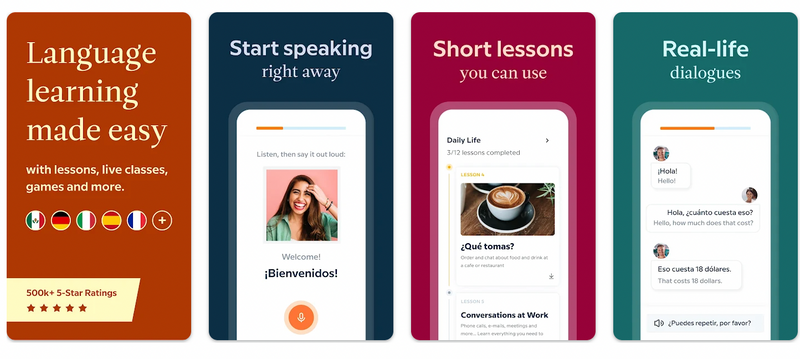
Babbel offers practical language instruction tailored for older students and teens. Unlike simple vocabulary-matching games, Babbel emphasizes real-world conversation skills using interactive dialogues, speech recognition feedback, audio podcasts, and grammar lessons built by language instruction experts. Short 10-to-15-minute lessons fit easily into busy school schedules.
| Target Audience | Learning Media | Access Model |
|---|---|---|
| Teens & Young Adults (Ages 13+) | Interactive lessons, podcasts, speech recognition, review games | Free initial lessons; full curriculum via subscription |
Rating: 4.6/5
Installs: 10+ million
Get it for iOs here and Android here.
7. ClassDojo
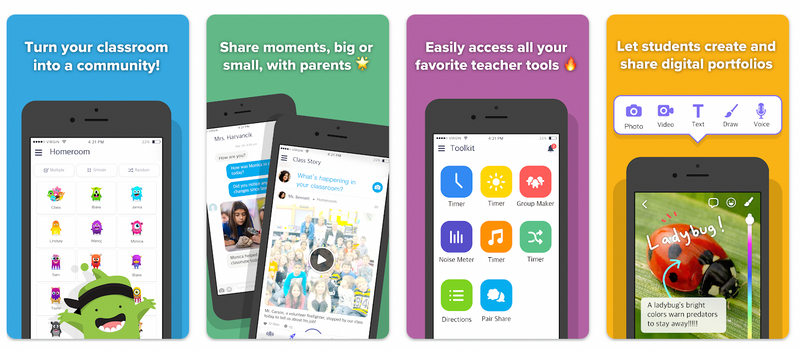
ClassDojo connects primary school teachers, students, and parents to build a supportive classroom community. Teachers can share classroom photos, videos, and announcements, while messaging parents directly and securely. Students can post work to digital student portfolios, share projects, and receive positive reinforcement for classroom habits and skills.
| Grade Suitability | Primary Focus | Core Tools |
|---|---|---|
| Pre-K to 8th Grade | Home-school communication & classroom culture | Student digital portfolios, direct parent messaging, positive feedback points, class story updates |
Rating: 4.8/5
Installs: 10+ million
Get it for iOs here and Android here.
8. Mathway: Scan & Solve Problems
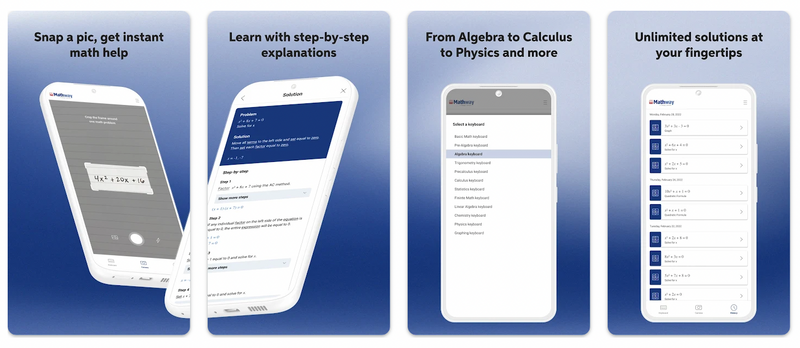
Mathway is an advanced problem-solving application that guides students through step-by-step mathematical solutions across complex subjects including algebra, trigonometry, calculus, physics, and chemistry. Using an intuitive photo scanner or built-in scientific calculator keyboard, students receive instant steps to verify homework answers and understand problem-solving methods.
| STEM Fields | Key Features | Pricing Tier |
|---|---|---|
| Algebra, Graphing, Matrices, Calculus, Chemistry, Physics | Photo problem scanner, step-by-step solution breakdowns, virtual graphing calculator | Free answer viewer; step-by-step solution explanations with Mathway Plus subscription |
Rating: 4.6/5
Installs: 10+ million
Get it for iOs here and Android here.
9. Remind: School Communication
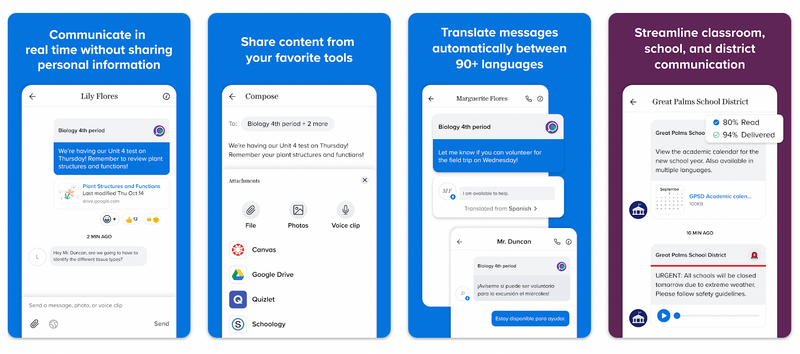
Remind is a safe, effective school communication tool that connects teachers, students, and parents. Educators can send class updates, homework reminders, voice messages, and PDF documents directly to mobile devices without exchanging personal phone numbers. Recipients can view announcements via mobile app notifications, email, or standard SMS text messaging on any phone.
| Target Audience | Supported Channels | Key Feature |
|---|---|---|
| K-12 Teachers, Students, & Guardians | In-app notifications, SMS text, Email | Private two-way messaging and broadcast announcements without sharing personal numbers |
Rating: 4.4/5
Installs: 10+ million
Get it for iOs here and Android here.
10. Headway: Fun & Easy Growth
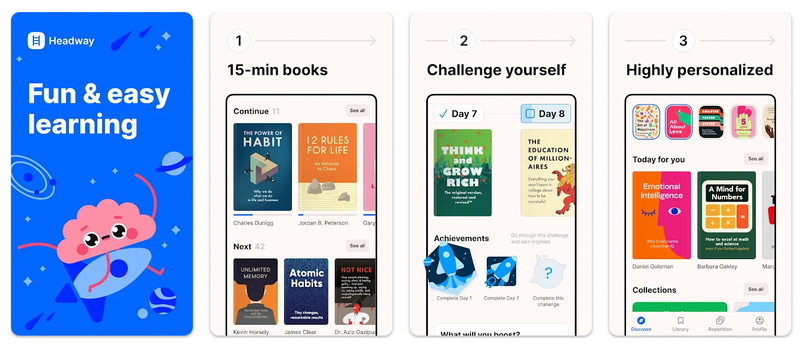
Headway offers bite-sized book summaries designed for quick, targeted learning. In 15-minute key-idea breakdowns available in text and audio formats, high school students and lifelong learners can review non-fiction concepts, history, leadership, and personal development topics to supplement high school reading lists and study units.
| Target Grade / Age | Content Format | Best Use Case |
|---|---|---|
| High School (Grades 9-12) & Adults | 15-minute text & audio summaries, visual infographics, daily insights | Quick subject overviews, supplementary background reading, study revision |
Rating: 4.3/5
Installs: 5+ million
Get it for iOs here and Android here.
11. Minecraft: Education Edition
Minecraft Education is a game-based learning platform specifically built to teach STEM, coding, history, and collaboration inside the Minecraft universe. Packed with over 200 hours of standard-aligned computer science curriculum, multiplayer build challenges, and lesson templates, educators and students can collaborate across devices in a safe digital sandbox.
| Target Grades | Key Subjects | Learning Pathway |
|---|---|---|
| K-12 (Grades 2-12) | Computer Science, Coding, Math, Science, History, Esports | Block-based coding, Python programming, interactive STEM challenges |
Rating: 3.9/5
Installs: 5+ million
Get it for iOs here and Android here.
Learn how to code using Minecraft: Education Edition in this live online Minecraft Coding Quest class for kids in grades 2-5.

12. Canvas Student
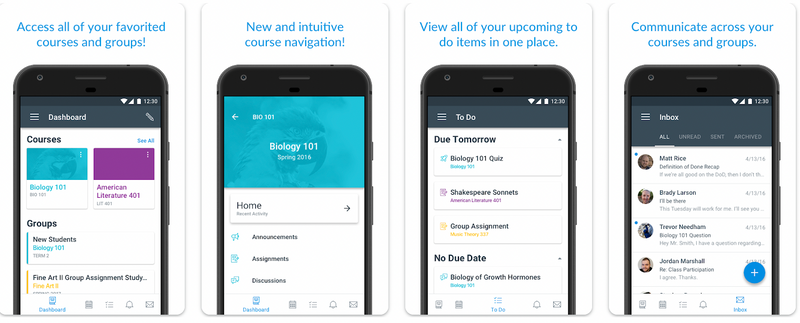
Canvas Student allows students to access their learning management system (LMS) courses on mobile devices. Students can check assignment deadlines, view course syllabi, submit homework, participate in discussion boards, and track real-time course grades across K-12 schools and universities.
| Suitable Grades | Key Platform Features | LMS Ecosystem |
|---|---|---|
| Middle School, High School, & Higher Ed | Assignment submission, grade tracking, course calendars, direct teacher communications | Instructure Canvas LMS |
Rating: 4.6/5
Installs: 10+ million
Get it for iOs here and Android here.
13. PowerSchool Mobile App
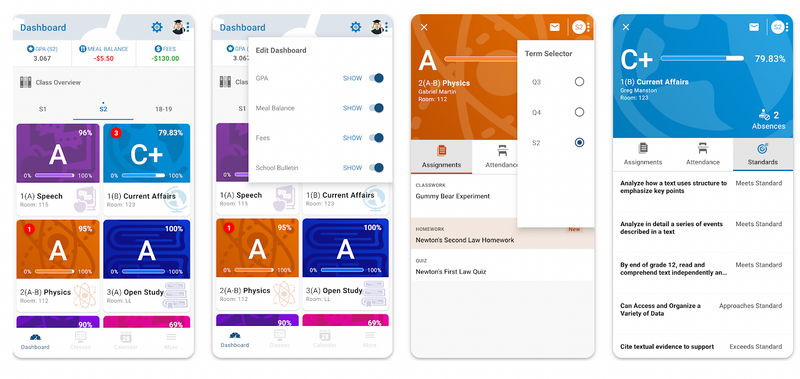
PowerSchool Mobile provides real-time student information access for parents, students, and educators. Users can monitor assignment grades, track daily attendance, view class schedules, check meal account balances, and complete official school forms directly from their smartphones.
| Target Users | Primary Functions | Grade Fit |
|---|---|---|
| Parents, Students, Teachers | Real-time GPA tracking, attendance notifications, school form submissions, lunch balance monitoring | K-12 School Districts |
Rating: 2.7/5
Installs: 5+ million
Get it for iOs here and Android here.
14. Khan Academy Kids
Khan Academy Kids is a 100% free educational app for young children ages 2 to 8. Developed with early education experts at Stanford University, the app aligns with Common Core standards and the Head Start Early Learning Framework. Its interactive library includes thousands of foundational lessons, reading games, math puzzles, animated videos, and creative drawing tools without any ads or in-app purchases.
| Age Alignment | Subjects Covered | Cost & Ads |
|---|---|---|
| Ages 2–8 (Pre-K to 2nd Grade) | Early Literacy, Reading, Writing, Math, Logic, Social-Emotional Learning | 100% Free (No ads, no subscriptions, no in-app purchases) |
Rating: 4.6/5
Installs: 5+ million
Get it for iOs here and Android here.

Enjoy The Best Free Education Apps For Kids
There are so many great free apps out there to help provide the best education for kids. Whether you’re trying to learn a new language or inspire creativity, the resources to disseminate information in the best way for your learner are out there. Up next, explore supplemental kearning for kids to learn about more beneficial learning activities and opportunities outside of the classroom.
Enroll your student in one of the most popular live online STEM events for kids: Minecraft Escape Estate. In this fun event students solve puzzles using computational thinking to unlock secrets, open trap doors, and reveal hidden clues.

