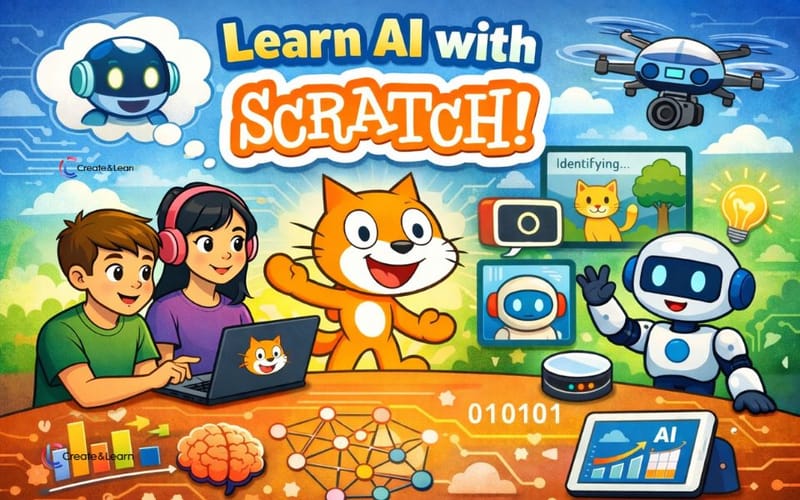
Artificial intelligence is already part of our everyday lives—from recommendations on Spotify and YouTube, to tools like ChatGPT. At the same time, Scratch coding remains the most popular coding platform for kids. With Scratch AI extensions, now you can build smart games, stories, animations by exploring the exciting power of AI Scratch.
This guide will show you how to make AI in Scratch. We’ll explain AI quickly in kid-friendly terms, highlight key ideas behind AI technologies, and introduce platforms that let students build and experiment with AI using Scratch. We’ll show how to build AI-powered Scratch projects using built-in extensions, beginner-friendly machine learning tools, and remixable examples. You’ll find practical AI Scratch tutorials, project ideas, and a clear learning path to learn AI for kids with Scratch.
If your child or students are new to Scratch, check out Scratch Ninja or Accelerated Scratch for Teens classes to learn Scratch. Book free Scratch trial classes today to get started.
For students who want to explore AI more broadly, AI Explorers introduces a wide range of core AI concepts through hands-on activities and free live events designed specifically for kids. Book Free AI class for kids to start learning.
To jump to each of a Scratch AI tool/platform directly, use these links:
What Is Artificial Intelligence? Explain AI to Kids
Artificial intelligence, or AI, is surprisingly hard to define accurately in just one simple sentence. A common definition is that AI is when machines can show human-like intelligence. But that leads to an important question: what does “human intelligence” actually mean?
For example, is a calculator AI? A calculator can do math faster and more accurately than most people. What about a clap-activated lamp that turns on when you clap—does that count as being intelligent? Even though these tools seem smart, they are not AI. That’s because they only follow fixed rules that were programmed ahead of time.
AI is different. An AI system can learn from data and adjust its behavior based on new situations. For instance, when a video app recommends different videos to different people based on what they’ve watched before, it’s learning from patterns and making predictions. In this way, AI can show parts of human intelligence—such as perception (seeing things), learning, reasoning (figuring things out), problem-solving, and decision-making—which is what truly makes something AI.
What Are Some Common Types of AI Systems?
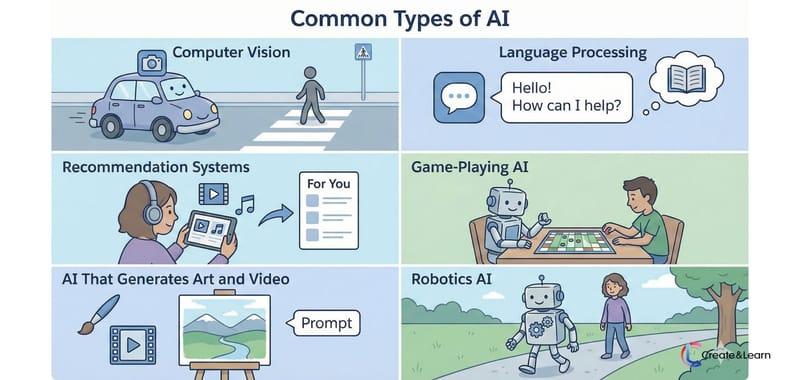
There are many different types of AI. Here are some most common ones.
Computer Vision helps computers “see” and understand images or videos, similar to how people use their eyes. It’s used in self-driving cars to recognize roads and pedestrians, and in medical imaging to help doctors spot diseases in X-rays or scans.
Language Processing allows computers to understand, generate, and respond using human language. Tools like ChatGPT or Gemini use this type of AI to answer questions, write stories, and have conversations.
Recommendation Systems use AI to suggest things you might like based on what you’ve watched, played, or clicked before. For example, video platforms recommend new videos and music apps suggest songs tailored to each user.
Game-Playing AI is designed to make decisions and plan strategies in games. A famous example is AI that learned to play the board game Go and defeated top human champions.
AI That Generates Art and Video can create images, music, or videos based on text prompts or examples it has learned from. Some AI tools can turn simple ideas into drawings, animations, or short videos in seconds.
Robotics AI combines intelligence with the physical world, helping machines sense their surroundings and decide how to move or act. Robots like those from Figure or Boston Dynamics use AI to walk, balance, and interact with real environments.
Make AI Scratch Projects with Scratch AI Extension - Text to Speech and Translation
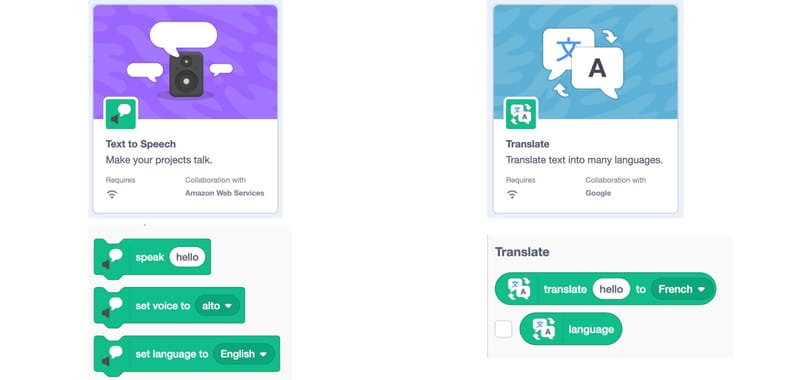
Scratch has several built-in AI features. The easiest ones to use are Text to speech and Translation functionalities, which you can add as extension. With Text to Speech, students can make their projects talk using blocks like “speak”, “set voice”, and “set language”, allowing them to control what is said, how it sounds, and which language is used. The Translation feature includes blocks such as “translate [word] to [language]” and “language”, which let projects convert text into different languages or detect the current language being used. Together, these blocks give students a hands-on way to explore how AI works with human language in a fun, visual, and beginner-friendly way. Check out this video to learn more. https://www.youtube.com/watch?v=7f9_vjl9yC8&t=183s
Make AI in Scratch with Built-in Face Sensing Scratch Extension
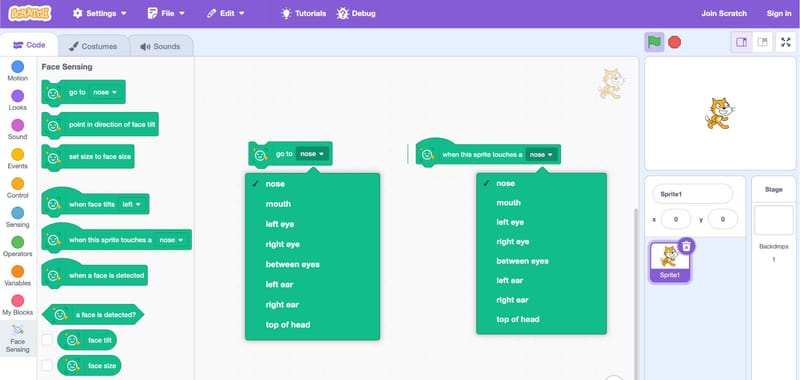
Scratch added the Face Sensing feature October 2025. It can also be added as an extension. As shown in the image above, the Face Sensing blocks in Scratch let projects react to a person’s face using the computer’s camera. With these blocks, sprites can move to facial features like the nose, eyes, or mouth, change size based on face size, or respond when a face is detected or tilts left or right. There are also event-style blocks, such as triggering actions when a sprite touches a facial feature or when a face appears, making it easy for students to create interactive projects that respond to real-world movement in a fun, beginner-friendly way. Check out this YouTube tutorial on how to use face sensing.
More Face Sensing/Facial Recognition project ideas
You can do a lot of creative and playful things with the Face Sensing capabilities. Build social-media–style face filters, such as adding virtual masks, hats, or glasses that follow your face on the screen. Create fun effects where opening your mouth eats cakes or blows bubbles, or make a game to use head tilts, kick and shoot a soccer ball. The possibilities are nearly limitless!
Learn AI with Scratch using Machine Learning For Kids
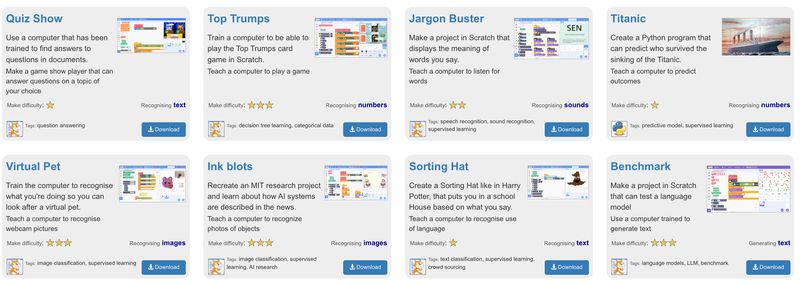
Started in 1997, Machine Learning for Kids is one of the earliest beginner-friendly websites that helps students learn how machine learning works through hands-on projects. Instead of just using machine learning models, students can train simple AI models to recognize images and sounds, predict numbers, and generate text, then build projects and games with the machine learning models they create. You can find projects like quiz games that answer questions, card and strategy games that use numbers, projects that recognize sounds or images, and creative text-based projects like a Sorting Hat.
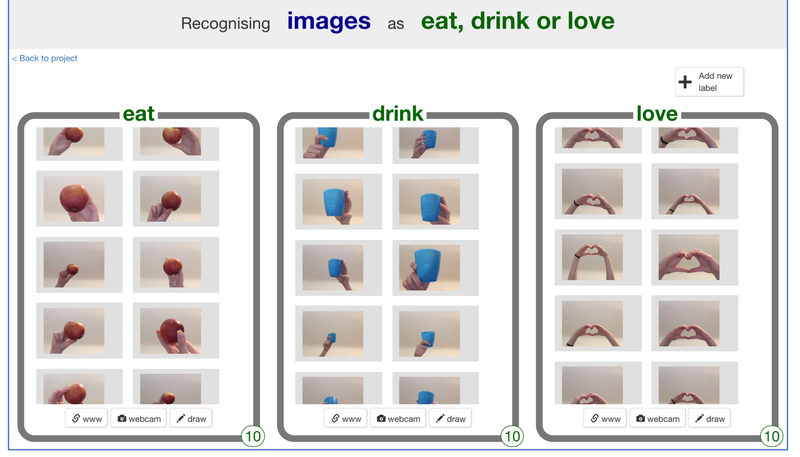
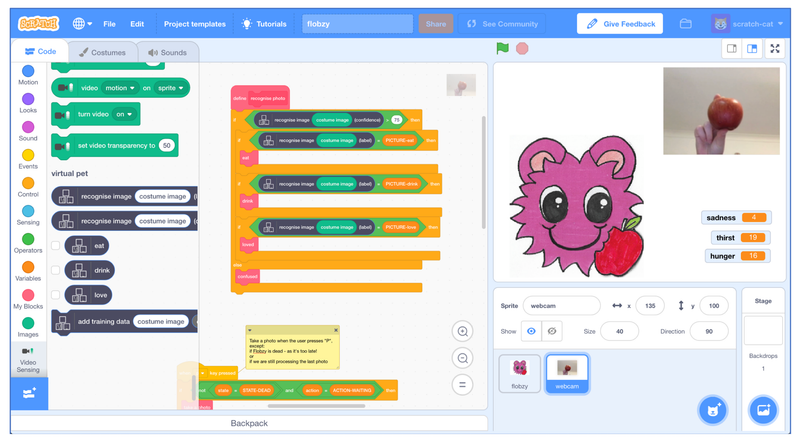
For example, in this virtual pet project, students train an image recognition model by giving it examples for different labels—such as Apple for eat, cut for drink, and heart hand gesture for love. Once trained, students create the virtual pet project following their step-by-step instruction and incorporating the model into the Project. If a student holds up an apple in front of the camera, then the model recognizes it as “eat,” the pet eats and becomes less hungry. Similarly, you can hold up a cup or heart gesture to bring a pet's thirst down or give it love. It offers the truly end-to-end experience from creating the AI models to apply them.
Use Scratch to Learn AI for Kids with MIT RAISE
MIT RAISE (Responsible AI for Social Empowerment and Education) is an MIT-led program focused on making artificial intelligence education accessible, ethical, and inclusive for all learners. It develops kid-friendly AI tools, curricula, and research that help students understand how AI works while encouraging responsible and thoughtful use of AI.
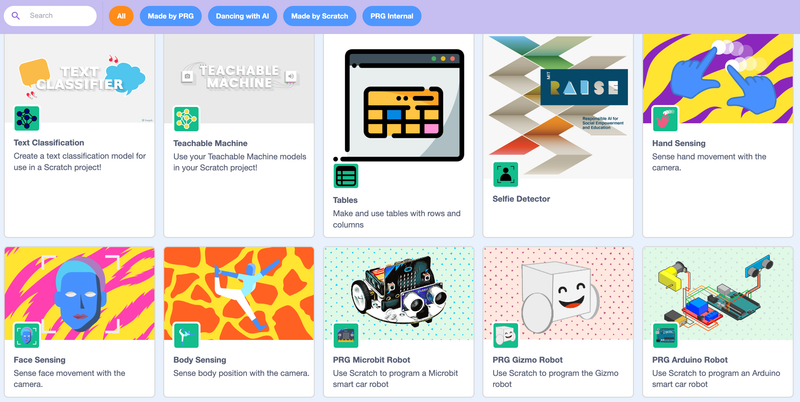
The RAISE Playground is their Scratch based programming platform for using machine learning models, robotics, and AI engines to make projects. It lets kids experiment with AI concepts and applications such as image recognition, text classification, reinforcement learning, and music generation. Once you open the playground at https://playground.raise.mit.edu/main/ and then click on Extensions, you will see a set of options such as text classification and body sensing. The Face Sensing option has been as a default extension on Scratch.
Machine Learning with Scratch Projects for Kids & Teens
RaspberryPi foundation has put together a short list of Scratch projects from Machinelearningforkids websites and added step by step flows, so you can track your progress and receive a badge after completing each project. This table shows the AI Concepts covered in each project.
| Project Name | Machine Learning Concepts Covered |
|---|---|
| Fish Food | Voice recognition and audio classification using spoken commands |
| Alien Language | Audio classification by training the computer to recognize different spoken sounds |
| Smart Classroom Assistant | Text classification and basic natural language processing |
| Doodle Detector | Image classification by recognizing hand-drawn pictures |
| Did You Like It? | Sentiment analysis to classify text as positive or negative |
Summary - Create AI Scratch Projects and Learn AI using Scratch
Scratch offers a fun and powerful way for kids & teens to build projects with cool AI features using its built-in AI Extensions such as facial recognition and text to speech. Machine Learning for Kids includes a large set of projects that allow students to train AI models with their own data. The RAISE platform has even more extensions to build additional AI projects. Kids not just use AI, but truly understand how it works and how to build with it responsibly.